 Docs
Docs
Connect over MCP
Wire Whisper into your IDE or AI client over MCP, or call the graph directly with an API key. Most clients connect with just the URL.
Start with no account at all
https://whisper.online/mcp is the same plane over MCP with no credential. It answers initialize and tools/list anonymously, and the 17 tools in that list really work anonymously: assess a domain, IP, ASN or file hash, verify whether an address belongs to a Whisper agent and whose, read any address's RDAP record, and query the infrastructure graph in Cypher.
claude mcp add --transport http whisper https://whisper.online/mcpAny client that takes a bare URL needs nothing else. Send your key as the X-API-Key header and the 22 provisioning and governance tools appear in the same list. There is a local form too, if you would rather run the server yourself: npx -y @whisper-security/whisper-mcp.
1 · Connect your client
Point your MCP client at https://mcp.whisper.security. The server supports OAuth (RFC 7591 dynamic registration and PKCE), so most clients need only the URL. The page carries a tab per client; the one-liners below are what each tab shows.
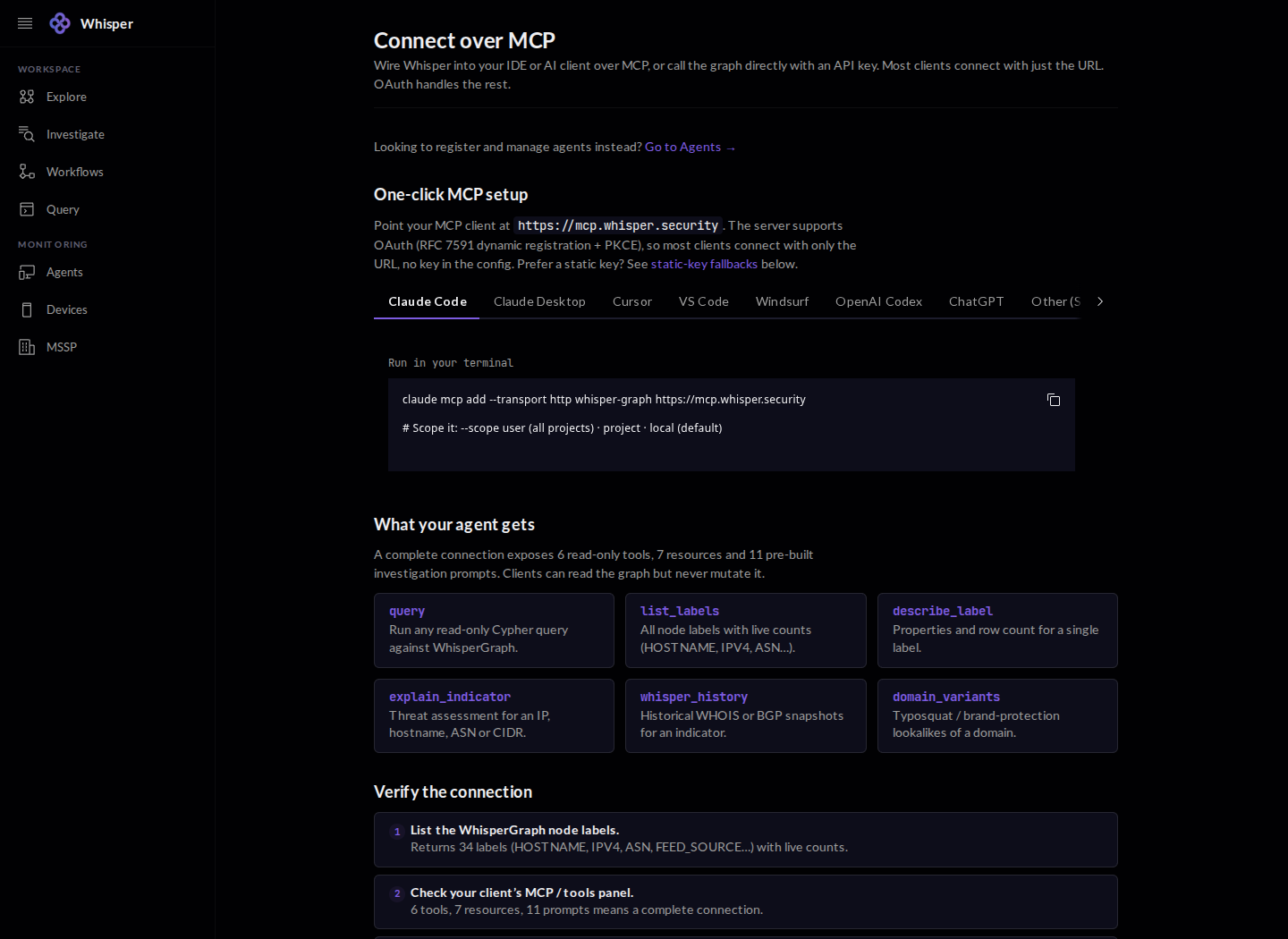
Claude Code
claude mcp add --transport http whisper-graph https://mcp.whisper.securityClaude Desktop
Settings -> Connectors -> Add custom connector
# enter https://mcp.whisper.security, then Connect and sign in with OAuth
Cursor (.cursor/mcp.json)
{
  "mcpServers": {
    "whisper-graph": { "url": "https://mcp.whisper.security" }
  }
}
VS Code (.vscode/mcp.json, Copilot)
{
  "servers": {
    "whisper-graph": { "type": "http", "url": "https://mcp.whisper.security" }
  }
}
Windsurf
{
  "mcpServers": {
    "whisper-graph": { "serverUrl": "https://mcp.whisper.security" }
  }
}
OpenAI Codex (~/.codex/config.toml)
[mcp_servers.whisper-graph]
url = "https://mcp.whisper.security"
# then: codex mcp login whisper-graph
ChatGPT
Settings -> Apps & Connectors (Developer mode) -> Create
# enter https://mcp.whisper.security; OAuth runs on first use, no key ever touches the ChatGPT UI
Other (any STDIO-only client, bridged over HTTP)
npx mcp-remote https://mcp.whisper.security2 · What your client gets
A complete connection exposes seven read-only tools, four resources, and ten prebuilt investigation prompts. Clients can read the graph but never mutate it - there is no write or admin path through any of them. The tools are query (raw Cypher), explain_indicator (a coverage-qualified threat verdict for an IP, hostname, ASN or CIDR), explain_schema (the label catalog, or one label's properties and edges), identify (who runs a host), list_workflows / run_workflow (prepared multi-step investigations), and read_docs. The resources are whisper://quota, whisper://server, whisper://schema/full, and whisper://stats.
Ask explain_schema for the label catalog and it returns all 41 labels, live. Your client's MCP/tools panel should show seven tools, four resources, ten prompts - that's a complete connection.
3 · Static key or call the graph directly
For CI, headless agents, or clients that would rather not use OAuth, add a Bearer header with a key from your API keys.
{
  "mcpServers": {
    "whisper-graph": {
      "url": "https://mcp.whisper.security",
      "headers": { "Authorization": "Bearer $WHISPER_API_KEY" }
    }
  }
}
Or skip MCP and call the query endpoint directly. It accepts your key as a Bearer token or an X-API-Key header.
curl -X POST https://graph.whisper.online/api/query \
  -H "Authorization: Bearer $WHISPER_API_KEY" \
  -H "Content-Type: application/json" \
  -d '{"query": "CALL explain(\"google.com\")"}'
4 · Three ways to authenticate
There are three tiers, and no code changes between them beyond the auth header. Anonymous needs no signup and gives a shallow, rate-limited read for trying the graph. An API key attributes the read to you and applies your PLAN's limits, and it is the agent path; measured 2026-09-28 on an agent-plan key, the same call returns identically with and without it, so the key is about attribution rather than headroom. Signed-in is the full console in the browser.